
Home/AI Prompt Tools/MAGI-2 Prompt Generator
MAGI-2 Prompt Generator
Turn a video idea into a detailed MAGI-2 prompt — subject, action, scene, camera movement, style and lighting — with a live prompt-quality score.
- 100% Free
- No Signup
- No Watermark
- Runs in Your Browser
Prompt quality score
0 / 100
Getting started
- • Describe the subject of the video — who or what fills the frame?
- • Add the action — one strong, clear movement reads better than three vague ones.
- • Describe the setting — MAGI-2 builds a world around the subject, and a named world always beats a blank one.
- • Choose a camera movement — deliberate camera work is the fastest way to make AI video look directed.
- • Pick a shot type so the framing is your decision, not the model's.
- • Choose a visual style — cinematic, commercial, anime and noir are different films, not different filters.
- • Set the lighting — it decides whether the clip looks like a film still or a security camera.
- • Add an avoid list — morphing, flicker and warped hands are the usual suspects in AI video.
Start with the first field — your prompt and quality score build themselves as you fill the form.
About this MAGI-2 Prompt Generator
MAGI-2 arrived on 24 November 2026 and went straight to the top of the AI video benchmarks — a new generation of video model, available through Higgsfield, that reviewers are calling the one to beat for realism and motion. Models like this reward a director's brief and punish a vague one: type 'a man walks through a city' and you get a screensaver; type the same idea with a subject described properly, one clear action, a named setting, a deliberate camera move and a chosen style, and you get a shot that looks like it was planned. The difference is not talent — it is the number of decisions you made before pressing generate.
This generator makes those decisions with you. Fill in the subject, the action and the setting, choose the camera movement, the shot type, the visual style, the lighting and the mood, set the duration and the frame shape, and ban the usual failures in the avoid field — and it assembles a complete, copy-ready MAGI-2 prompt, scored live out of 100 so you can see which piece of direction is still missing. Everything is assembled locally in your browser from original templates; nothing you type is sent anywhere.
- The full video brief in one form: subject, action, setting, camera, shot, style
- Camera movements chosen deliberately — push-in, orbit, aerial glide, whip pan and more
- Seven visual styles, from cinematic realism and neo-noir to anime and documentary
- Duration and aspect ratio set in the prompt: 16:9, 9:16 or 1:1
- An avoid field for the standard AI-video failures: morphing, flicker, warped hands
- Live prompt-quality score out of 100 with tips that name exactly what is missing
How to use it
- 1Describe the subject — who or what fills the frame, in concrete detail.
- 2Add the action and the setting: one clear movement, in a named place and time.
- 3Choose the camera movement, shot type, visual style, lighting and mood.
- 4Set the duration and aspect ratio, fill the avoid field, check the score, then copy the prompt into MAGI-2 on Higgsfield.
Prompting the benchmark leader: decisions before generations
Every new video model launches with demo reels that make prompting look effortless, and MAGI-2's are genuinely impressive. What the reels never show is the ratio behind them: for every clip in the reel, dozens were generated and discarded, and the keepers came from the most specific briefs. A benchmark-leading model raises the ceiling of what a good prompt can produce — it does not lower the floor of what a vague one produces. If anything, the gap widens: the model can now render the shot you described in remarkable detail, which means it will also render your vagueness in remarkable detail.
The practical habit is to spend your effort before the generation, not after it. Decide the subject, the movement, the world, the camera, the light — the six fields at the top of this form — and let the model spend its power on execution instead of interpretation. Then use the avoid field as insurance and the quality score as a checklist. That is the whole method, and it transfers to every video model you will ever use: the prompt is the direction, and direction is a list of decisions, not a wish.
Frequently asked questions
What is MAGI-2?
MAGI-2 is an AI video generation model launched on 24 November 2026 and available through Higgsfield, the AI video platform. It launched at the top of the public AI-video benchmarks for realism and motion quality. You describe a shot in words — subject, action, camera, light — and it renders a short video clip. This generator is an independent tool that helps you write better prompts for it; it is not made by the MAGI-2 team or Higgsfield.
What makes a good MAGI-2 prompt?
The same things that make a good shot list: a specific subject, one clear action, a named setting, a deliberate camera move, a style, and lighting. Video models fill every gap you leave with a guess, and their guesses are generic — an unnamed camera drifts, an unnamed style becomes whatever the model defaults to. The form in this generator walks through each decision in the order a director would make it, and the quality score shows you what is still undecided.
Should I describe one action or several?
One strong action per clip. Short AI video clips hold a single movement well — a climb, a turn, a pour, a reveal — and smear several movements into each other. If your idea has three beats, generate three clips and cut them together; each prompt stays clean, and you keep control of the edit. The action field here is sized for one movement described well: what moves, how fast, and in which direction.
Which aspect ratio should I choose?
Match the destination. 16:9 for YouTube, presentations and anything cinematic; 9:16 for Shorts, Reels and TikTok, where the frame is a phone; 1:1 for square feeds. Choose it in the prompt rather than cropping afterwards — the model composes for the frame it is given, and a subject framed for widescreen loses its composition when the sides are cut away.
What belongs in the avoid field?
The failures you most want to prevent. For AI video the regulars are morphing faces, flicker, warped or extra hands, and stray text or watermarks. Keep the list short and specific — a long avoid list starts to fight the prompt itself. This generator appends yours as a plain 'Avoid:' line at the end of the prompt.
Is anything I type sent to a server?
No. The prompt is assembled by JavaScript in your browser from the fields you fill in. Nothing leaves your device until you paste the finished prompt into MAGI-2 yourself.
From the blog: the MAGI-2 Prompt Generator guide
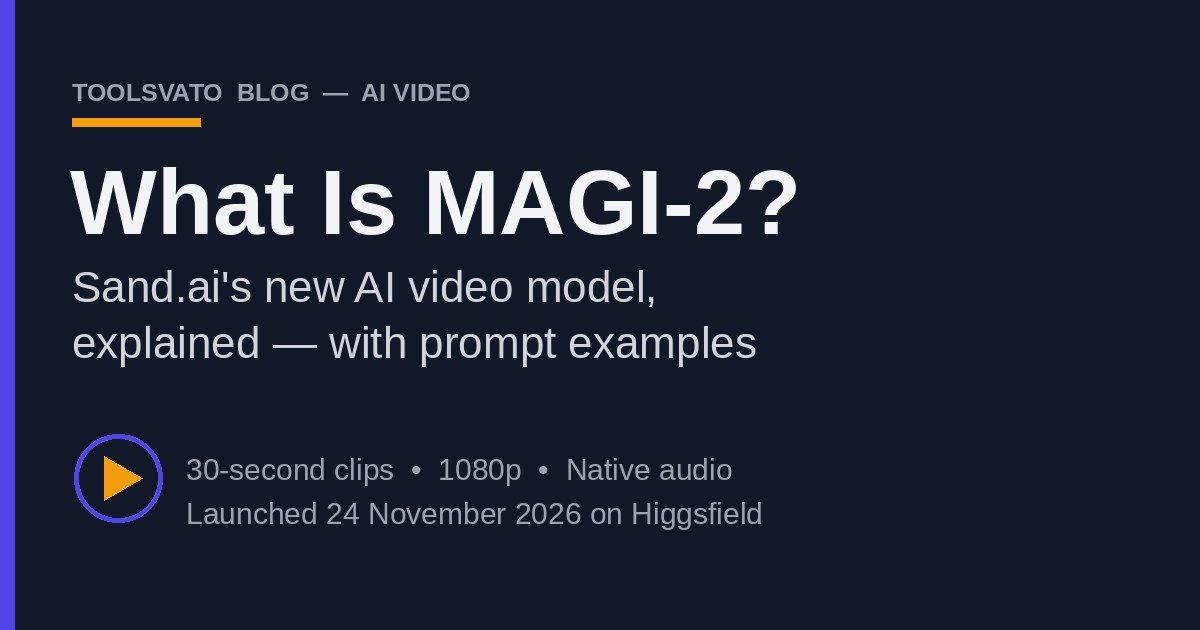 What Is MAGI-2? Sand.ai's New AI Video Model, Explained (With Prompt Examples)MAGI-2 launched on 24 November 2026 and went straight to the top of the AI video benchmarks. What it is, where you can use it, what it costs, and how to write prompts it actually understands.Read the guide →
Related tools
Nano Banana Pro Prompt Generator
Turn a rough idea into a detailed, copy-ready prompt for Nano Banana Pro (Google's Gemini image model) — with a live prompt-quality score.
ChatGPT Prompt Generator
Build a detailed, copy-ready ChatGPT prompt from a simple form — role, task, tone, format and detail level, with a live prompt-quality score.
Claude Prompt Generator
Build a structured Claude prompt with context, role, format and examples in Claude's preferred XML style — with a live prompt-quality score.